10 Fall Homescreen Ideas
A phone homescreen is something most people see dozens of times a day, which makes it a surprisingly powerful place to bring in seasonal style. During fall, many Pinterest users love changing their digital spaces to feel warmer, softer, and more personal. A cozy wallpaper, matching app icons, seasonal widgets, and a thoughtful color palette can make your phone feel instantly more organized and beautiful. It is a small update, but it can make everyday scrolling feel more intentional and visually calming.
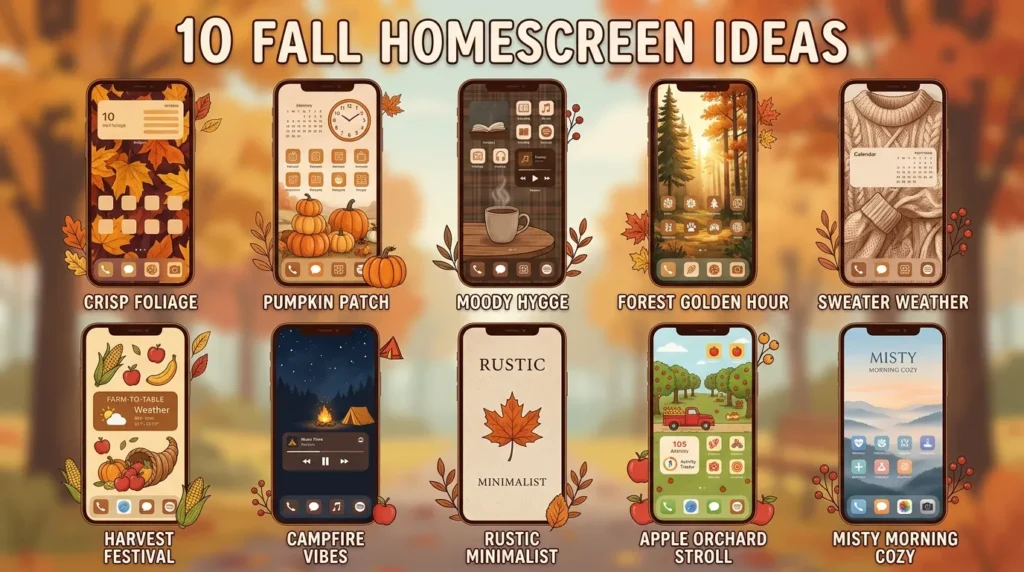
One thing I’ve noticed is that the best seasonal homescreens are not overly complicated. They usually work because the colors, images, icons, and widgets all feel connected. Instead of using too many random fall images, a strong design focuses on one clear mood. That might be cozy coffee shop, dark academia, neutral pumpkins, rustic farmhouse, golden leaves, soft beige minimalism, or moody autumn evenings.
Fall Homescreen styling is especially popular because it combines creativity with daily function. A homescreen should look beautiful, but it should also help you find apps easily, check the weather quickly, see your calendar, and stay organized. The most useful designs balance aesthetics with real-life convenience.
In this guide, you’ll find ten cozy and Pinterest-worthy homescreen ideas for fall. Each one includes practical styling tips, color palette inspiration, widget ideas, and layout suggestions so you can create a seasonal phone screen that feels warm, stylish, and easy to use.
Table of Contents
- Cozy Coffee Theme
Create a warm café-inspired screen with soft browns and cream tones. - Neutral Pumpkin Style
Use beige, white, and muted orange for a soft seasonal look. - Dark Academia Mood
Build a moody homescreen with books, candles, and vintage tones. - Golden Leaves Layout
Bring autumn color to your phone with warm leaf-inspired details. - Minimal Beige Icons
Keep your homescreen clean, calm, and easy to use. - Rustic Cottage Theme
Use cozy countryside details for a charming seasonal screen. - Moody Brown Palette
Create depth with chocolate, espresso, camel, and warm black tones. - Soft Widget Setup
Make your homescreen useful with aesthetic calendar and weather widgets. - Autumn Photo Collage
Use personal or Pinterest-style images to create a cozy visual story. - Warm Quote Screen
Add seasonal motivation with soft typography and autumn backgrounds.
1. Cozy Coffee Theme
Quick Benefits
- Feels warm and relaxing
- Perfect for fall mornings
- Easy to match with brown icons
- Looks beautiful on Pinterest
- Works with simple widgets
Why It Works
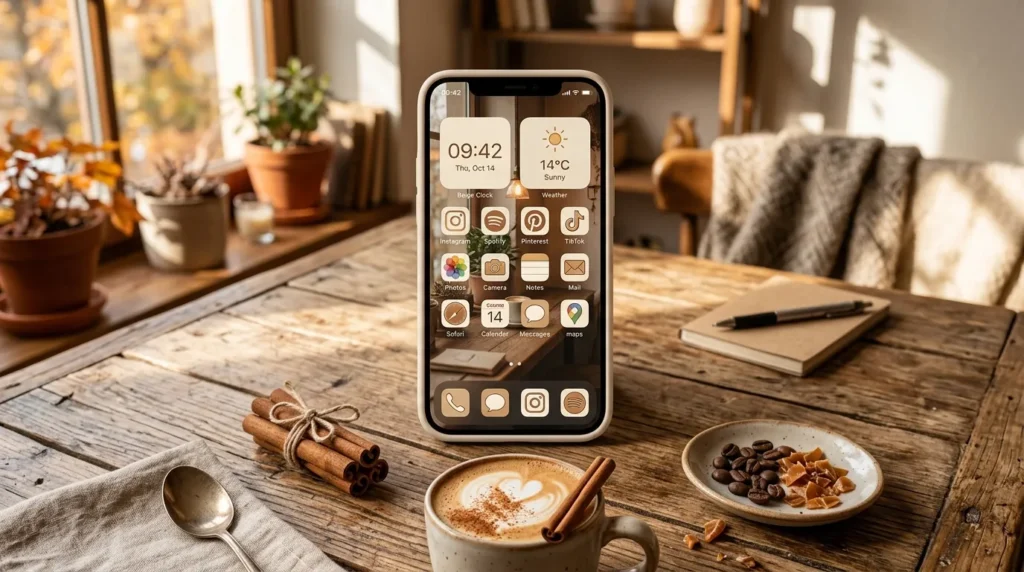
A coffee-inspired homescreen instantly captures the cozy feeling of fall because it connects with daily routines. Warm drinks, café tables, cinnamon tones, creamy foam, and soft lighting all create a comforting mood. In my experience, this theme works especially well because it feels personal without being too busy. The colors are naturally cohesive, using brown, beige, cream, caramel, and warm white. These shades make app icons, widgets, and wallpapers easier to coordinate while keeping the homescreen calm and readable.
How To Style It
Choose a wallpaper featuring coffee cups, café windows, latte art, books, or cozy kitchen corners. Use brown, cream, beige, or caramel app icons to keep everything consistent. Add a weather widget, calendar widget, and small quote widget for function. A clock widget in soft serif typography can make the screen feel more polished. Keep your most-used apps on the first page and move less-used apps into folders. This keeps the aesthetic beautiful without making the phone difficult to use.
2. Neutral Pumpkin Style
Quick Benefits
- Soft and feminine
- Works with beige icons
- Feels seasonal without being loud
- Great for minimal layouts
- Easy to customize
Why It Works
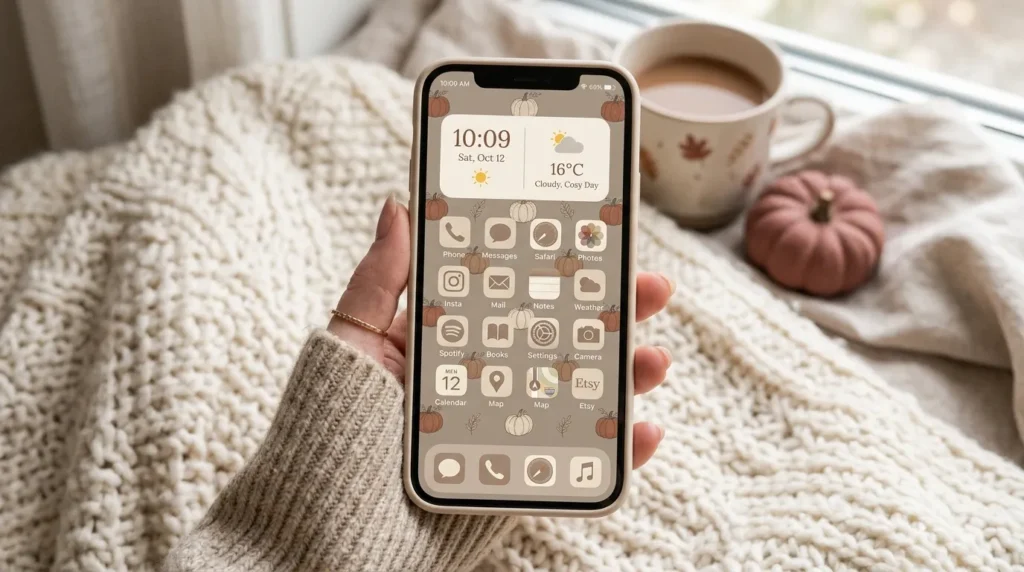
Neutral pumpkin themes are perfect for anyone who loves fall but prefers a softer, cleaner look. Instead of bright orange pumpkins and bold colors, this style uses white pumpkins, beige backgrounds, soft taupe, muted rust, and warm cream. One thing that works especially well is how calm this palette feels on a phone screen. It gives you seasonal charm without visual clutter. The result feels cozy, elegant, and easy to look at throughout the day.
How To Style It
Use a wallpaper with white pumpkins, neutral fall decor, cozy blankets, or soft candlelight. Choose app icons in beige, ivory, warm brown, or muted terracotta. Add widgets with simple backgrounds and clean fonts. A small calendar widget paired with a seasonal photo widget works beautifully. Keep the layout spacious by using fewer icons on each row. This gives the screen a softer, more high-end look while still feeling practical for daily use.
3. Dark Academia Mood
Quick Benefits
- Creates a moody fall look
- Perfect for book lovers
- Works with vintage icons
- Feels cozy and intellectual
- Strong Pinterest appeal
Why It Works
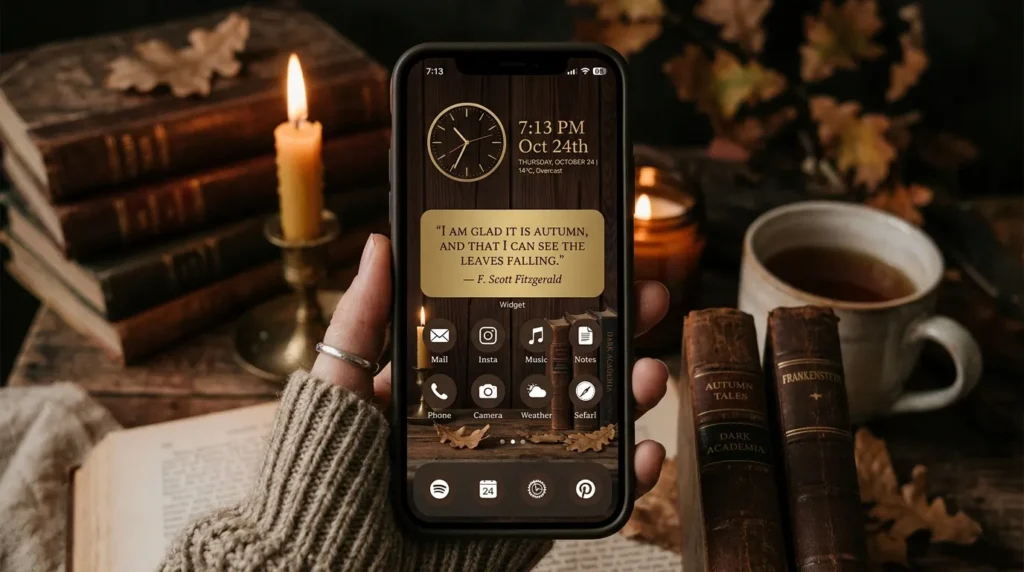
Dark academia is one of the most popular fall aesthetics because it combines books, warm lighting, vintage details, deep colors, and cozy study moods. This theme works beautifully for a homescreen because it creates atmosphere without needing many decorative elements. A dark wood desk, old books, candles, coffee, and handwritten notes can instantly make the phone feel more seasonal. I’ve noticed that this style is especially appealing because it feels both nostalgic and organized.
How To Style It
Choose a wallpaper with vintage books, candlelight, libraries, dark wood, coffee, or old paper textures. Use app icons in espresso brown, black, burgundy, antique gold, or deep olive. Add a quote widget with a literary or motivational phrase. A calendar widget and notes widget can support the study-inspired look while staying useful. Keep icons arranged neatly and avoid bright colors that break the mood. This theme works best when the screen feels rich, warm, and slightly mysterious.
4. Golden Leaves Layout
Quick Benefits
- Classic autumn style
- Adds warm seasonal color
- Easy to pair with simple icons
- Works on light or dark backgrounds
- Looks vibrant without clutter
Why It Works
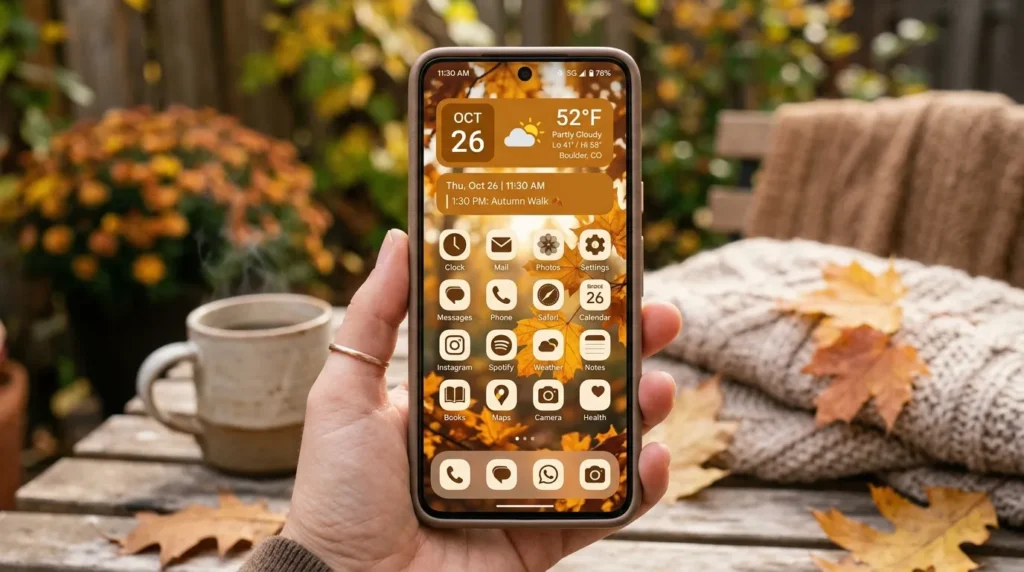
Golden leaves are one of the most recognizable symbols of fall, making them a beautiful choice for a seasonal homescreen. The warm tones of amber, mustard, rust, orange, and gold create instant autumn energy. A mistake many people make is using a very busy leaf wallpaper with too many bright icons. The best version of this theme balances colorful backgrounds with simple app icons and clean widgets. This keeps the screen readable while still feeling rich and seasonal.
How To Style It
Choose a wallpaper with falling leaves, autumn trees, golden branches, or a soft leaf flat lay. If the wallpaper is detailed, use plain cream or brown icons to reduce visual noise. If the wallpaper is simple, you can use warmer orange or gold icons. Add a weather widget because this theme pairs beautifully with seasonal temperatures. A small photo widget showing leaves, boots, or coffee can complete the look. Keep the layout balanced by leaving some open wallpaper space visible.
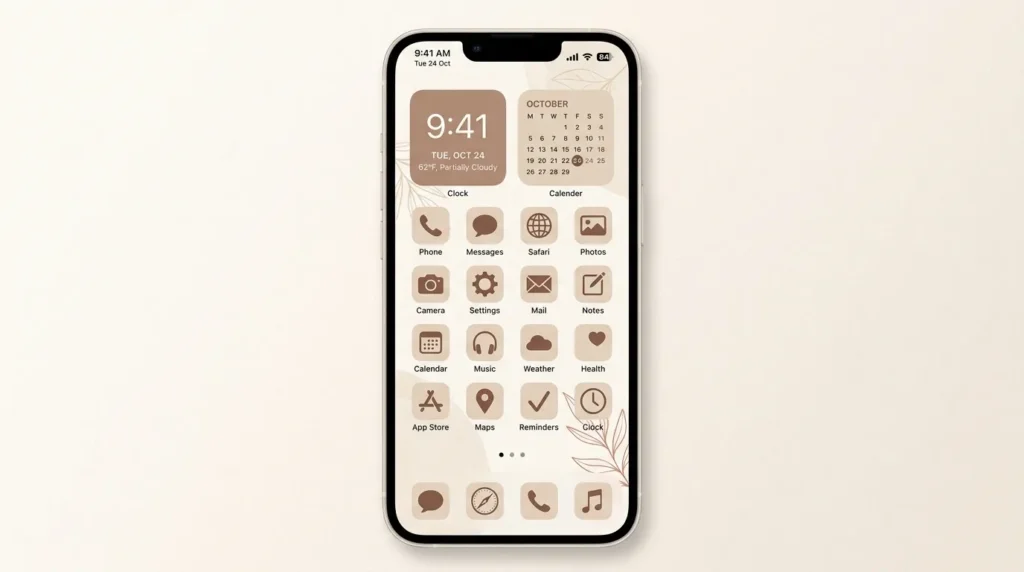
5. Minimal Beige Icons
Quick Benefits
- Clean and calming
- Easy to use daily
- Matches many wallpapers
- Feels modern and elegant
- Reduces screen clutter
Why It Works
Minimal beige homescreens are popular because they feel calm, organized, and easy on the eyes. During fall, beige icons pair beautifully with seasonal wallpapers while keeping the overall screen soft and polished. This approach works well for people who want autumn style without a heavily themed design. That’s why many digital aesthetic setups use neutral icons as a foundation. They allow the wallpaper and widgets to provide personality while the icons keep everything clean and cohesive.
How To Style It
Use beige, cream, taupe, or warm gray icons across your main apps. Pair them with a simple fall wallpaper, such as a neutral pumpkin scene, coffee cup, cozy blanket, or soft leaf background. Add only two or three widgets so the screen does not feel crowded. A clock, calendar, and photo widget are usually enough. Organize apps by category or frequency of use. This makes the homescreen stylish but still functional for everyday routines.
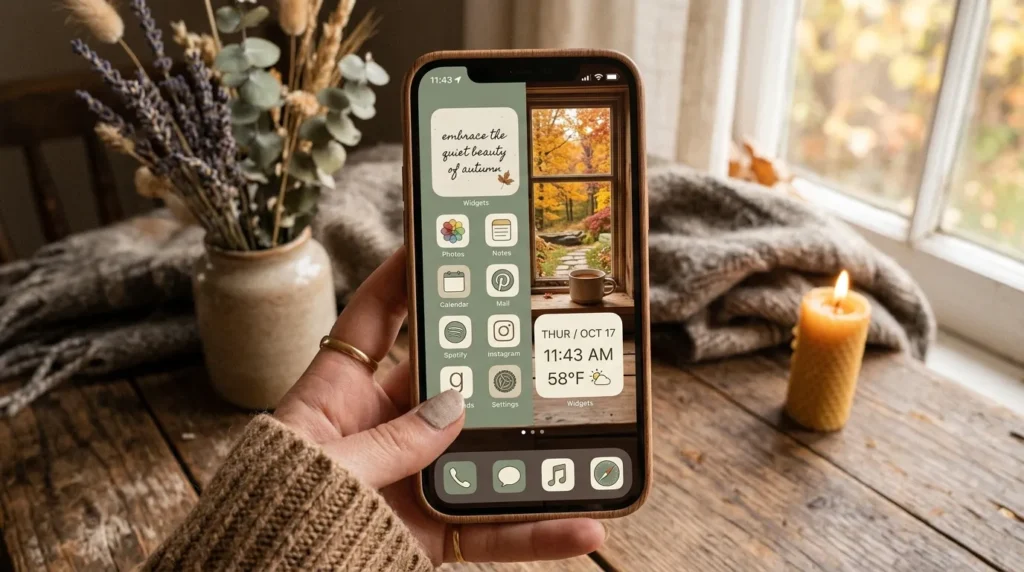
6. Rustic Cottage Theme
Quick Benefits
- Cozy and charming
- Works with warm natural colors
- Great for farmhouse lovers
- Feels personal and inviting
- Perfect for fall aesthetics
Why It Works
A rustic cottage homescreen feels warm, nostalgic, and connected to nature. It often includes soft blankets, old wood, dried flowers, cozy kitchens, cottage windows, baskets, candles, and countryside details. This theme works because it tells a visual story rather than just showing random seasonal images. If you’re anything like me, you probably love a screen that feels peaceful every time you unlock your phone. Rustic cottage styling does that beautifully with warm textures and gentle colors.
How To Style It
Choose wallpaper with cottage interiors, window views, wildflowers, rustic tables, cozy beds, or autumn countryside scenes. Use icons in warm cream, brown, sage green, muted gold, or dusty rose. Add widgets that feel soft and homey, such as weather, calendar, notes, or a photo collage. Use serif fonts or handwritten-style fonts for quotes. Keep the screen from feeling too busy by using one main wallpaper image and matching icons instead of too many different photos.
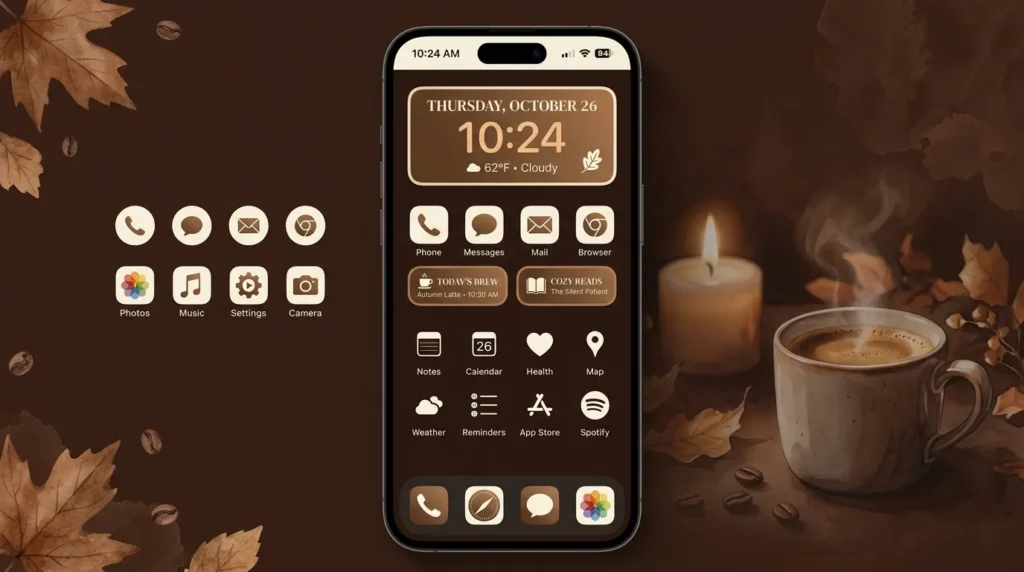
7. Moody Brown Palette
Quick Benefits
- Looks rich and elegant
- Perfect for fall and winter
- Reduces bright screen distractions
- Works with neutral widgets
- Feels modern and cozy
Why It Works
A moody brown homescreen is ideal for anyone who loves deeper fall colors. Chocolate, espresso, caramel, taupe, warm black, and bronze create a sophisticated seasonal palette. This style feels less playful and more polished, making it great for users who want a mature autumn aesthetic. One simple trick I always suggest is using dark backgrounds with lighter widgets for contrast. This makes the screen easier to read while keeping the overall look stylish and atmospheric.
How To Style It
Choose a dark brown wallpaper with coffee, books, candles, leather, wood, or abstract texture. Use app icons in cream, beige, bronze, or matching brown tones. Add a clock widget with warm white text and a small calendar widget. Avoid overly bright app colors on the main screen. Move colorful apps into folders or a second page. This keeps the homescreen cohesive and makes the moody palette feel intentional rather than dark and cluttered.
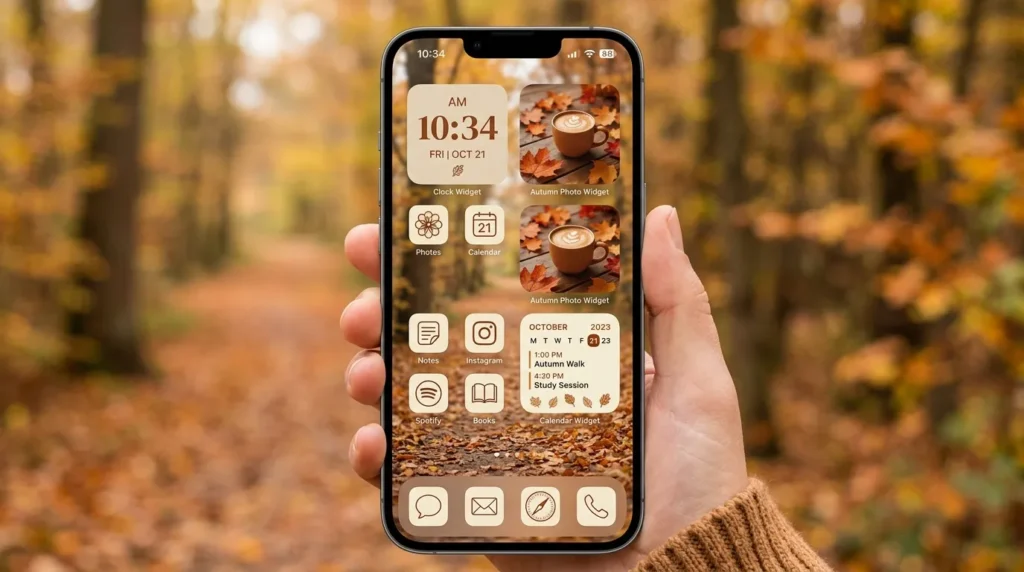
8. Soft Widget Setup
Quick Benefits
- Makes the screen more useful
- Adds aesthetic structure
- Helps organize daily routines
- Works with any fall theme
- Easy to update seasonally
Why It Works
Widgets can make a homescreen both beautiful and practical. Instead of only focusing on wallpaper and icons, widgets help display useful information like time, weather, reminders, calendar events, battery life, and photos. I’ve seen this idea transform homescreens because a few well-designed widgets make the layout feel intentional. For fall, soft widget backgrounds in beige, brown, cream, rust, or olive help connect the screen visually while supporting daily organization.
How To Style It
Choose two or three widgets that you actually use. A large clock widget, small weather widget, and medium photo widget usually create a balanced layout. Use matching backgrounds and fonts so everything feels cohesive. Place the largest widget at the top or middle of the screen, then arrange icons around it. Avoid filling every blank space. Leaving room around widgets makes the homescreen feel calmer and more aesthetic. Use fall photos like leaves, coffee, candles, or cozy interiors for image widgets.
9. Autumn Photo Collage
Quick Benefits
- Feels personal and creative
- Great for Pinterest inspiration
- Works with multiple fall images
- Easy to customize
- Adds visual storytelling
Why It Works
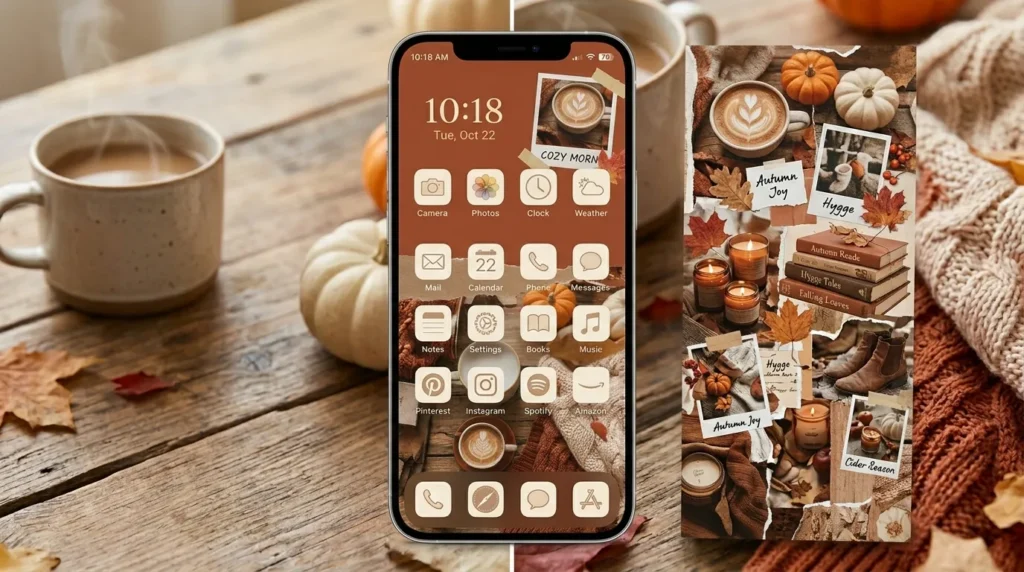
A photo collage homescreen works beautifully for fall because the season is full of visually rich details. Leaves, pumpkins, sweaters, coffee, books, candles, boots, rainy windows, and cozy rooms all create a strong mood when arranged together. This idea works because it gives the homescreen personality and depth. Rather than relying on one image, a collage creates a complete autumn story. The key is keeping the colors coordinated so the screen feels curated rather than random.
How To Style It
Choose five to nine images that share similar colors. For example, use cream, brown, rust, and olive photos together. Create a collage wallpaper using a simple editing app or use a photo widget that rotates images. Pair the collage with plain icons so the screen does not feel too busy. Add one simple quote or calendar widget if space allows. This style is perfect for users who want a cozy, expressive, scrapbook-inspired homescreen.
10. Warm Quote Screen
Quick Benefits
- Adds daily inspiration
- Easy to personalize
- Works with simple layouts
- Creates a calm mood
- Perfect for minimal designs
Why It Works
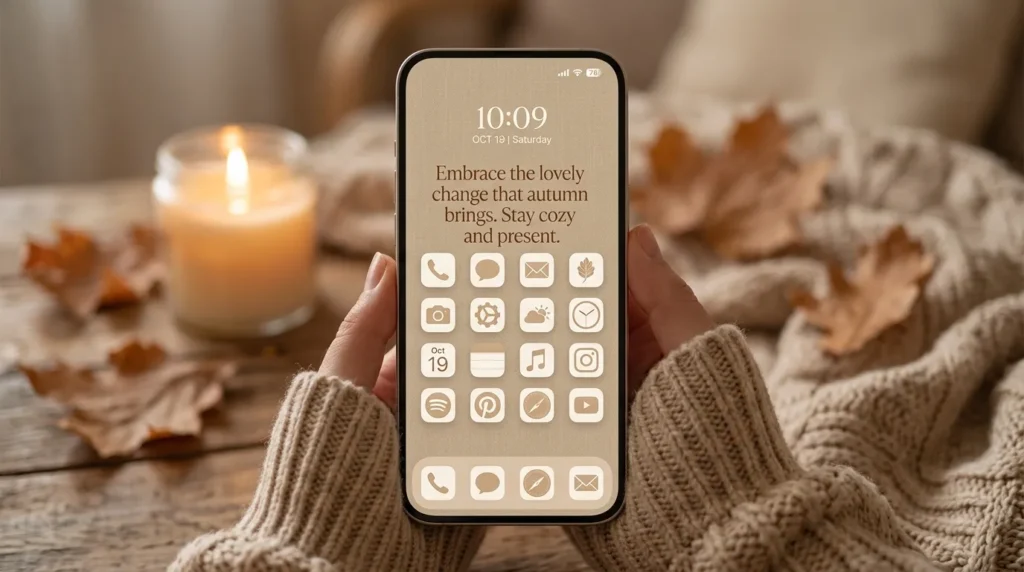
A quote-based homescreen can make your phone feel more personal and intentional. During fall, warm quotes about slowing down, cozy routines, gratitude, fresh starts, or simple joys fit beautifully with seasonal visuals. The quote becomes the emotional center of the screen while the wallpaper and icons support the mood. A homescreen like this works especially well for minimal users because it adds meaning without requiring too many decorative elements.
How To Style It
Choose a simple background such as warm beige, soft brown, autumn leaves, candlelight, or a cozy room scene. Add a quote in clean serif, handwritten, or minimalist typography. Keep the words short enough to read easily. Use matching app icons in neutral tones and limit widgets to one or two. A small clock or calendar widget works well. Place the quote where it will not be covered by icons. The final screen should feel peaceful, warm, and easy to use.
FAQ
What is a fall homescreen?
A fall homescreen is a phone layout designed with autumn-inspired wallpapers, app icons, widgets, colors, and images. It often includes cozy themes like pumpkins, coffee, leaves, candles, books, warm neutrals, and seasonal quotes. The goal is to make your phone feel more aesthetic, organized, and connected to the fall season.
How do I make my phone homescreen look aesthetic for fall?
Start with one clear fall theme, then choose a matching wallpaper, icon color, and widget style. Use warm colors like brown, beige, rust, olive, cream, and gold. Add useful widgets such as weather, calendar, clock, or photo widgets. Keep the layout clean so the screen looks pretty but still remains easy to use every day.
What colors are best for a fall homescreen?
The best colors for a fall homescreen include cream, beige, caramel, chocolate brown, rust, terracotta, olive green, mustard, burgundy, and warm gray. These shades create a cozy seasonal look and pair well with pumpkins, leaves, coffee, books, candles, and neutral app icons.
What widgets should I use for a fall homescreen?
Good widgets for a fall homescreen include clock, weather, calendar, reminders, battery, notes, and photo widgets. Choose widgets you actually use so the layout stays practical. For a cozy look, customize widget backgrounds with warm beige, brown, rust, or soft fall images that match your wallpaper.
Can I make a fall homescreen without changing every app icon?
Yes, you can create a fall homescreen without changing every app icon. Start with a seasonal wallpaper and add matching widgets. Then only customize your most-used apps on the first page. Move other apps into folders or keep them on a second page. This gives you the aesthetic look with less work.
What fall homescreen theme is best for minimal style?
A minimal fall homescreen works best with beige icons, neutral wallpaper, soft widgets, and one simple seasonal image or quote. Choose warm neutrals like cream, taupe, camel, and soft brown. Avoid busy collages or bright orange icons if you want a calm, clean look.
Conclusion
Creating a beautiful fall homescreen is a simple way to bring seasonal style into your everyday routine. Since your phone is something you use constantly, even a small digital refresh can make your day feel more organized, cozy, and intentional. Whether you prefer coffee-inspired warmth, neutral pumpkins, dark academia, golden leaves, cottage charm, or a clean beige layout, the best design is one that feels beautiful and practical at the same time.
The key is choosing one clear mood and repeating it across your wallpaper, icons, widgets, and colors. This helps the homescreen feel polished rather than random. You do not need to change every single detail at once. Start with a wallpaper, add one or two widgets, and then update your most-used app icons if you want a more complete look.
A well-designed Fall Homescreen should make your phone easier to use while also giving you that cozy seasonal feeling every time you unlock it. Start with the style that matches your personality, then adjust the layout until it feels both pretty and functional.
Related Articles
Autumn Aesthetic Ideas
Fall Wallpaper Ideas
Cozy Fall Decor Ideas
Fall Outfit Ideas
Neutral Home Styling Ideas